HybridB
A web app for my running and lifting to track progress, prevent fatigue and overtraining, and plan my workout schedule.
Want insights, but not at the cost of extra work
Last fall, I created a simple Streamlit app (see my blog post about weightlifting for more) that required me to make CSV files by hand and upload them to get my insights. Going from tracking my workout in Hevy or in a notebook to copying it down into rows of data was tedious, and I wanted something more automated.
Easily accessible insights across sports
Hevy recently rolled out an API available for users to access training data, so I decided to update my previous idea using this API.
I also began running, for which I use Strava and Garmin to track my data. Garmin, at the time of building, did not have a publicly accessible API, but Strava did, so I used that.
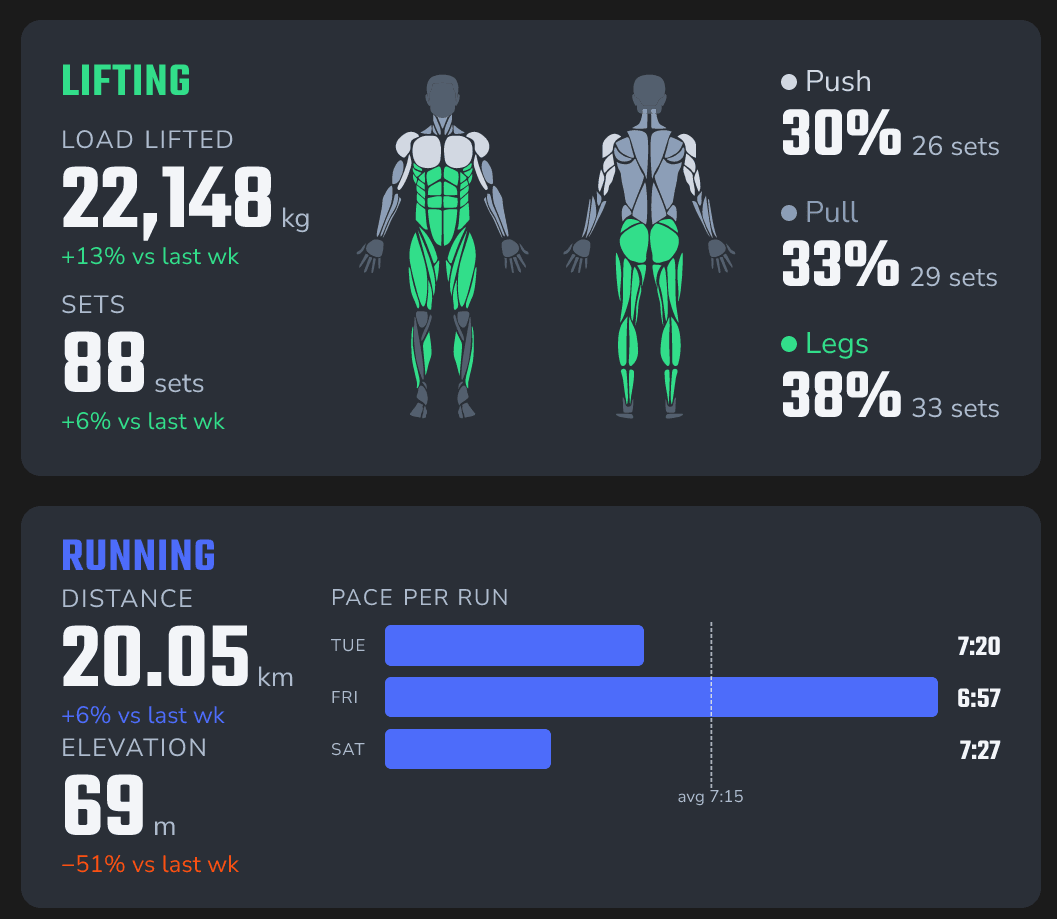
Strava and Hevy are both great for running and lifting respectively, but this web app combines them in one spot, with the insights I'm most interested in.
It also allows me to better structure my training week across both sports, storing my training schedule and allowing me to make changes. This way, I can log on in the morning and see exactly what I'm meant to do that day.
Tracking progression and injury prevention
For lifting, my blog post describes some of the insights I wanted to be tracking and why, namely volume per muscle group, and whether the amount I was lifting was increasing. By querying the hevy_workouts and hevy_exercises tables, I was able to track the number of sets I'm performing per week per muscle group. That way, I can see if I'm getting weaker and adjust my volume to get my lifts back on track.
For running, I based the insights largely on injury prevention rather than progression. I used this guide as a basis for what metrics I should adhere to, such as acute-to-chronic ratio to ensure I'm not pushing my mileage/intensity too far per week. Regarding long runs, the article advises that beyond the popular 10% rule (your long run should not exceed 110% of your longest effort in the past 30 days), it should not be more than 35% of your training week.
The tech stack
Using the Hevy and Strava APIs, the app uses webhooks to get my data directly from the source, so all I have to do is store the data in the format I want.
The database is stored in PostgreSQL through Neon, and consists of the following tables:
-
Plans:
run_planandlift_planstore my workout schedule for the appropriate sports, and whether they were completed. -
Workouts:
strava_workoutsandhevy_workoutsstore the data from all workouts obtained from Strava and Hevy, such as pace for runs and the weight lifted on a set in a Hevy workout. -
Updates:
strava_updatesandhevy_updatesstore the data from the webhook, which is then moved into the respective workout table. -
Exercises: Hevy has a mapping between exercises logged for a set and the muscle groups that exercise uses, which is stored in
hevy_exercisesfor grouping volume by muscle group in the dashboard.
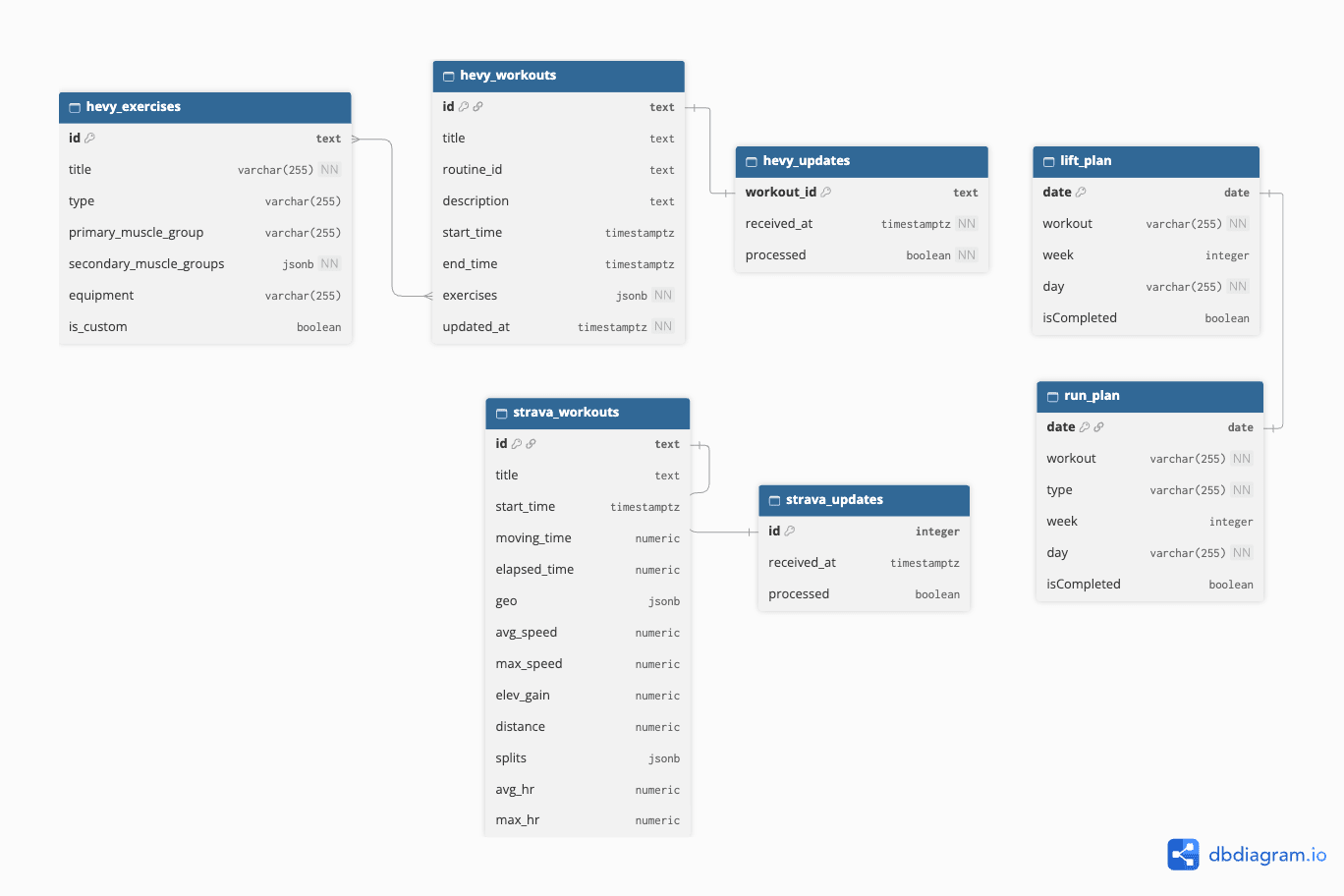
After initially populating the database using the Hevy and Strava APIs and the Python library httr, data is now populated automatically using webhooks.
The website itself is built in React and Next.js on Vercel for free hosting and serverless API routes to receive the webhooks.
Challenges
Building the visualizations and the macro-trend cards was comfortable, but building the schedule pages was more complex because I hadn't built something that writes back to the database.
I was also unfamiliar with webhooks, so learning how to integrate the APIs in with my own data queries was new territory.